WiFi stops connecting after apt upgrade
On the stock image an upgrade can leave WiFi dead; switching the backend to dhcpcd in raspi-config, or copying wpa_supplicant.conf to /boot, brings it back.
What it takes
- Config change
Difficulty 1 of 3 - easy.
Details
Hawanna's 2023 thread collected the fixes for the stock Raspberry Pi OS-based image: the OP moved to systemd-networkd, Michael_Wolf copied /etc/wpa_supplicant/wpa_supplicant.conf to /boot, and the answer most people confirmed is sudo raspi-config → Advanced Options → Network Config → dhcpcd, then reboot. WPA3/PMF networks were another suspect; testing on a WPA2-only SSID rules that out. network-manager-gnome gives a tray applet if you stay on NetworkManager.
Rex's images handle WiFi differently (antenna preset, current NetworkManager), so this applies to ClockworkOS-era installs. For weak signal rather than no connection, see the Connectivity entries on the external antenna.
Links
Open at Forum threadRelated mods

smittix's web front end wraps 433 MHz sensors, POCSAG/FLEX pagers, ADS-B, satellites and Wi-Fi/Bluetooth scanning in one page; Alejandro runs it on the AIO SDR.
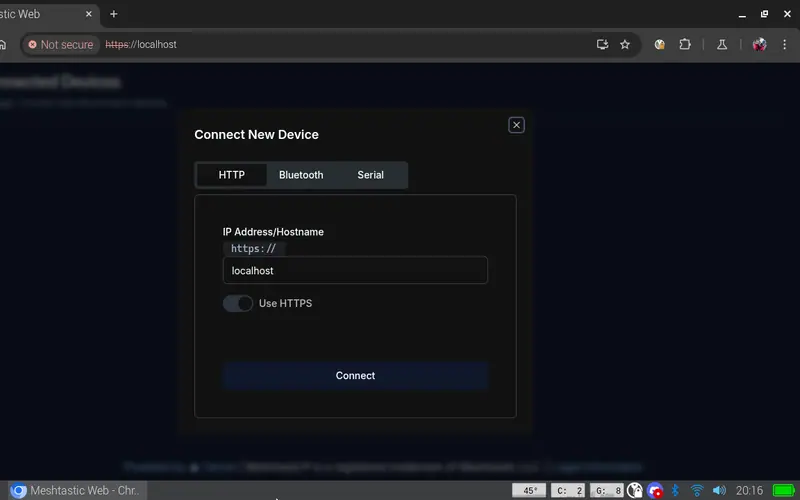
Run a Meshtastic node on the console itself: meshtasticd drives the AIO's SX1262 over SPI, with the graphical MUI, the web UI or the Contact TUI client on top.
On Rex's images a single apt install gives you SDR++ for the AIO's RTL-SDR or a USB dongle; his AIO package adds the sdrpp-brown fork.

Rex's ClockworkPi-RetroPie image (Pi-Gen, EmulationStation, RetroArch) is the working answer; the Debian install and gamepad threads fill in the rest.
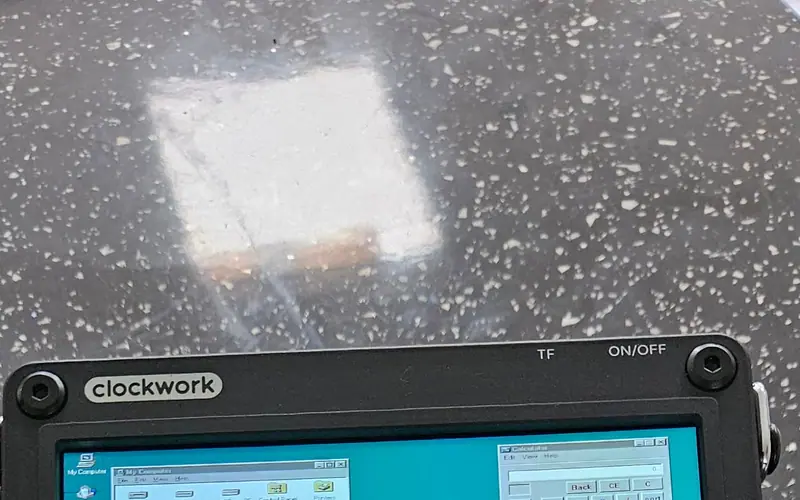
jutleys booted a prepared Windows 95 disk image in RetroArch's DOSBox-X core with working mouse buttons; plain DOSBox on the A-06 needs output=opengl to behave.
Two receivers, two recipes: the 4G card's GNSS via AT+CGPS on /dev/ttyUSB3, or the AIO's GPS on the serial port (/dev/ttyS0 CM4, /dev/ttyAMA0 CM5) at 9600 baud.