Meshtastic on the uConsole (meshtasticd + MUI)
Run a Meshtastic node on the console itself: meshtasticd drives the AIO's SX1262 over SPI, with the graphical MUI, the web UI or the Contact TUI client on top.
What it takes
- Software only
- Config change
- Purchase required
Difficulty 1 of 3 - easy.
Details
Meshtastic needs a LoRa radio - the HackerGadgets AIO v2 (or v1), Koha's uMesh module or a WisBlock on philosiraptor's internal card - and the Linux-native meshtasticd daemon to drive it. On a Pi core the AIO needs SPI enabled in config.txt (dtparam=spi=on and dtoverlay=spi1-1cs on a CM4, dtoverlay=spi1-1cs on a CM5) and a /etc/meshtasticd/config.yaml naming the sx1262 with IRQ 26, Busy 24, Reset 25 and spidev1.0; the HackerGadgets guide walks through it, and Rex's hackergadgets-uconsole-aio-board package plus meshtastic-mui do it for you on his Bookworm and Trixie images. Set region and channel afterwards (US users set frequency slot 20) and drop map packs in ~/.portduino/default/maps.
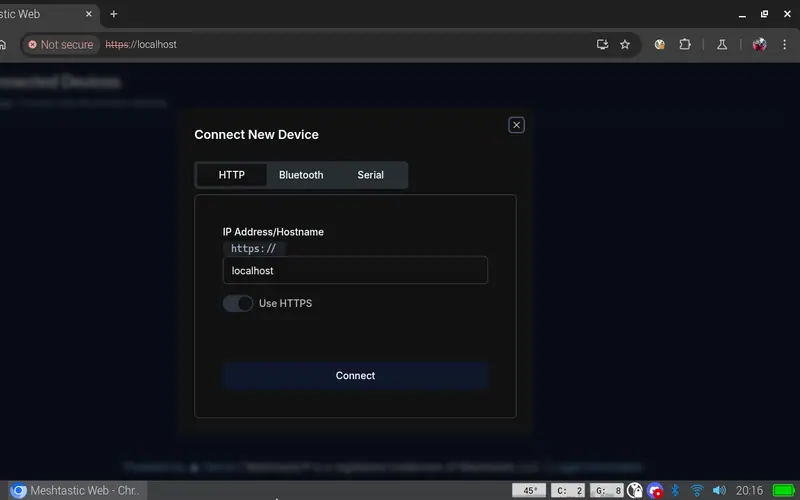
For a client, meshtastic-mui gives the graphical Meshtastic UI on the built-in screen and the web UI runs at localhost; d0ktamo's find is pdxlocations' Contact - pip install contact, then contact -t - a curses client that suits the small screen (install fonts-noto-color-emoji and fonts-unifont for the icons). Snorkers' note from the 2024 thread still applies if you have no internal radio: a USB companion node such as a T3S3 works over serial.
Links
Open at Forum threadRelated mods
MeshCore has no Linux-native node firmware, so the community built on pyMC_core: guax's YAMPA packet analyser and TUI chat client, and cwill747's GTK app.
The AIO's PCF85063A keeps time off-grid once the right overlay is in config.txt - and on a CM5 the built-in fake RTC has to be switched off first.

HackerGadgets' MIT-licensed CLI and tray tool toggles the AIO v2's GPIO-controlled power rails (GPS, LoRa, SDR, USB) so idle radios stop draining the battery.
On Rex's images a single apt install gives you SDR++ for the AIO's RTL-SDR or a USB dongle; his AIO package adds the sdrpp-brown fork.
Two receivers, two recipes: the 4G card's GNSS via AT+CGPS on /dev/ttyUSB3, or the AIO's GPS on the serial port (/dev/ttyS0 CM4, /dev/ttyAMA0 CM5) at 9600 baud.
Rex's AIO package ships readsb and the tar1090 map as a disabled service with a menu launcher; Intercept or a hand-built dump1090 are the alternatives.